
Laser fax machines remain a dependable choice for businesses that need fast document transmission, sharp print quality, and reliable daily performance.



Unlike traditional fax-only devices, modern laser fax machines combine printing, scanning, copying, and faxing into a single productivity hub.
As a result, offices can streamline workflows while reducing equipment costs and desk clutter.Whether you’re running a small business or managing a busy department, choosing the right model can significantly improve efficiency.
To help narrow your options, we’ve reviewed the best laser fax machines currently available and compared their strengths, features, and ideal use cases.
5 Best Laser Fax Machines: Detailed Overview
1. Brother MFC-L2750DW Compact Monochrome
Short Overview
Designed for small offices and home businesses, the Brother MFC-L2750DW combines fast monochrome printing with dependable fax functionality.
Its Super G3 fax modem helps transmit documents quickly, while automatic duplex printing reduces paper consumption.
For businesses that prioritize efficiency and affordability, this model remains a top contender.
Key Features
• 33.6 Kbps Super G3 fax modem
• Up to 36 pages per minute printing speed
• 50-sheet automatic document feeder
• Automatic duplex printing
• Wireless and Ethernet connectivity
Pros
• Fast printing performance
• Reliable fax transmission
• Compact office-friendly design
• Low operating costs
Cons
• Monochrome output only
• Smaller paper capacity than enterprise models
Why You Should Buy It
If your office regularly handles invoices, contracts, and reports, this machine delivers an excellent balance of speed and value.
Additionally, its straightforward operation makes it suitable for teams of any size.
2. HP Color LaserJet Pro MFP M479fdw
Short Overview
Businesses that require both color printing and advanced fax capabilities will appreciate the HP Color LaserJet Pro MFP M479fdw.
In addition to its built-in fax system, the device offers robust security features designed for professional environments.
Color output remains crisp and vibrant, making it suitable for presentations and client-facing documents.
Meanwhile, its networking features simplify office-wide deployment.
Key Features
• Full-featured 33.6 Kbps fax modem
• Enterprise-grade security tools
• Color laser printing technology
• Automatic duplex printing
• Wireless and Ethernet networking
Pros
• Excellent color quality
• Strong security controls
• Reliable office performance
• Easy network integration
Cons
• Higher purchase price
• Larger footprint than entry-level units
Why You Should Buy It
For businesses that frequently print marketing materials and client documents, this model offers exceptional versatility.
Moreover, its advanced fax management tools help improve workflow efficiency.
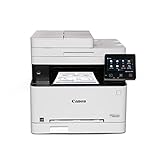
3. Canon imageCLASS MF743Cdw Color Laser
Short Overview
Unlike many office printers that focus primarily on printing, the Canon imageCLASS MF743Cdw emphasizes complete document management.
Its built-in Super G3 fax modem delivers consistent transmission speeds while supporting busy work environments.
Additionally, the duplex document feeder simplifies multi-page faxing and scanning tasks.
Professional-quality color output further enhances its appeal.
Key Features
• 33.6 Kbps Super G3 fax modem
• Duplex automatic document feeder
• Color laser printing system
• Touchscreen interface
• Mobile and wireless printing support
Pros
• Excellent document quality
• Strong scanning features
• Easy-to-use interface
• Reliable fax functionality
Cons
• Premium toner costs
• Larger than compact office printers
Why You Should Buy It
Companies that handle large volumes of mixed document types will benefit from this machine’s versatility.
Consequently, it serves as a strong all-in-one solution for growing teams.
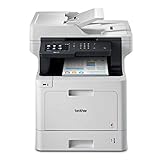
4. Brother MFC-L8900CDW Business Color
Short Overview
Built for demanding business environments, the Brother MFC-L8900CDW excels at high-volume faxing and printing.
Its robust Super G3 fax modem supports continuous document transmission throughout the workday.
Furthermore, the large document feeder and expandable paper handling reduce interruptions.
High productivity remains its biggest strength.
Key Features
• Enterprise-grade 33.6 Kbps fax modem
• 70-sheet automatic document feeder
• NFC, Ethernet, Wi-Fi, and USB connectivity
• High-capacity paper handling
• Business-class color printing
Pros
• Excellent for heavy workloads
• Strong fax reliability
• Flexible connectivity options
• Fast document processing
Cons
• Higher upfront investment
• Requires more office space
Why You Should Buy It
Large offices and departments will appreciate its ability to handle demanding workloads.
As a result, productivity remains high even during peak business hours.
5. HP LaserJet MFP M234dwe Wireless
Short Overview
Rather than using a traditional fax modem, the HP LaserJet MFP M234dwe utilizes HP Smart Mobile Fax technology.
This modern approach allows users to send faxes directly from smartphones and computers.
At the same time, the printer delivers fast monochrome output suitable for everyday office tasks.
Its compact design works especially well in home offices.
Key Features
• HP Smart Mobile Fax integration
• Wireless connectivity
• Fast monochrome laser printing
• Compact footprint
• Automatic document feeder
Pros
• Space-saving design
• Convenient mobile faxing
• Easy setup process
• Strong value for smaller offices
Cons
• Not a traditional fax machine
• Fewer advanced business features
Why You Should Buy It
For remote workers and home-based businesses, mobile fax functionality can be extremely convenient.
Likewise, its compact size helps maximize limited workspace.
Tips for Choosing the Best Laser Fax Machines
First, determine how frequently your business sends and receives faxes.
If faxing is part of your daily workflow, prioritize machines equipped with Super G3 fax modems and automatic document feeders.
Next, consider print speed because higher page-per-minute ratings can significantly improve productivity during busy periods.
Additionally, paper capacity plays an important role in reducing interruptions throughout the workday.
For businesses that print presentations or client-facing materials, color laser technology may be worth the additional investment.
However, monochrome models typically offer lower operating costs and faster document printing.
Connectivity should also influence your decision.
Modern offices often benefit from Wi-Fi, Ethernet, cloud integration, and mobile printing support.
Finally, compare long-term maintenance expenses, including toner costs and replacement components, before making a purchase.
Buying Guide
When evaluating laser fax machines, start by identifying your office’s primary communication needs.
Some organizations rely heavily on faxing, whereas others only need occasional document transmission.
Consequently, selecting a machine with the right balance of features prevents overspending.
Print technology remains one of the most important considerations.
Laser printers generally outperform inkjet alternatives in speed, durability, and operating costs.
Moreover, laser output tends to remain sharp and professional even under heavy workloads.
Document handling capabilities deserve equal attention.
Machines equipped with larger automatic document feeders can process multi-page faxes, scans, and copies far more efficiently.
Likewise, expandable paper trays help support growing businesses.
Security features have also become increasingly important.
Many modern business printers include secure fax storage, user authentication, and encrypted network communications.
Before purchasing, review monthly duty cycle ratings to ensure the device can comfortably handle your expected workload.
Finally, calculate long-term operating expenses because toner consumption often contributes significantly to ownership costs.
Comparison Table
| Product Name | Fax Technology | Print Speed | Color/Mono | ADF Capacity | Connectivity | Duty Cycle | Best For | Buy Now |
|---|---|---|---|---|---|---|---|---|
| Brother MFC-L2750DW | Super G3 Fax | 36 ppm | Mono | 50 Sheets | Wi-Fi, Ethernet | 15,000 Pages | Small Offices | Buy Now |
| HP M479fdw | 33.6 Kbps Fax | 28 ppm | Color | 50 Sheets | Wi-Fi, Ethernet | 50,000 Pages | Professional Teams | Buy Now |
| Canon MF743Cdw | Super G3 Fax | 28 ppm | Color | 50 Sheets | Wi-Fi, Ethernet | 50,000 Pages | Workgroups | Buy Now |
| Brother MFC-L8900CDW | Enterprise Fax | 33 ppm | Color | 70 Sheets | Wi-Fi, NFC, Ethernet | 60,000 Pages | Large Offices | Buy Now |
| HP M234dwe | Mobile Fax | 30 ppm | Mono | 40 Sheets | Wi-Fi, USB | 20,000 Pages | Home Offices | Buy Now |
What Is a Laser Fax Machine?
A laser fax machine is a device that combines laser printing technology with fax transmission capabilities.
Unlike traditional thermal or ink-based fax systems, laser models use toner cartridges to produce sharp, professional documents.
Because laser printing is fast and efficient, these machines are widely used in business environments.
Many modern units also include scanning, copying, and wireless networking features.
As a result, they function as complete document management solutions rather than simple fax devices.
Their combination of speed, reliability, and low operating costs continues to make them popular in offices of all sizes.
How to Use, Maintain, and Store Laser Fax Machines
Keep the machine connected to a reliable power source and network connection.
Additionally, replace toner cartridges before they become completely depleted.
Clean the scanner glass regularly to maintain image quality.
Whenever possible, use manufacturer-recommended consumables for consistent performance.
Store spare toner in a cool, dry location away from direct sunlight.
Furthermore, inspect document feeders periodically for dust and paper debris.
Updating firmware can improve security and performance over time.
Finally, follow routine maintenance schedules to maximize equipment lifespan.
Additional Tips
Enable automatic duplex printing to reduce paper usage.
Moreover, archive important faxes digitally whenever possible.
Use secure fax settings for confidential information.
Keep spare toner available to avoid workflow interruptions.
Regularly review monthly usage patterns.
Likewise, train employees on proper document handling procedures.
Position the machine in a well-ventilated area.
Frequently Asked Questions
Are laser fax machines better than inkjet fax machines?
Generally, laser models offer faster speeds, lower operating costs, and better durability for business use.
What does Super G3 fax mean?
Super G3 is a high-speed fax standard that enables faster document transmission than older fax technologies.
Can laser fax machines scan and copy documents?
Yes, most modern laser fax machines function as multifunction devices with scanning and copying capabilities.
Is color printing necessary for fax machines?
Not always. However, businesses that create presentations and marketing materials often benefit from color output.
How long do laser fax machines typically last?
With proper maintenance, business-grade laser fax machines can provide reliable service for many years.
Conclusion
The best laser fax machine depends largely on your workload, budget, and office requirements.
For most small businesses, the Brother MFC-L2750DW offers an excellent blend of affordability and performance.
Meanwhile, the HP Color LaserJet Pro MFP M479fdw and Canon imageCLASS MF743Cdw provide stronger color printing capabilities.
Organizations handling larger document volumes should consider the Brother MFC-L8900CDW because of its enterprise-focused design.
On the other hand, the HP LaserJet M234dwe appeals to users who prefer mobile faxing and compact hardware.
Ultimately, selecting a model that matches your workflow will help improve efficiency, reduce downtime, and support reliable document communication.