
Brother has built a strong reputation for producing dependable fax machines that combine speed, durability, and business-focused features.


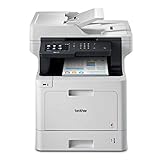
Whether you run a home office, a growing company, or a busy corporate department, Brother offers solutions designed to handle everything from occasional faxing to high-volume document workflows.
In addition to fax capabilities, many modern Brother machines include printing, scanning, copying, and wireless connectivity.
As a result, they can serve as complete document management hubs rather than simple fax devices.
However, choosing the right model depends on your workload, printing needs, and budget.
To make your decision easier, we’ve reviewed the best Brother fax machines available today and highlighted what makes each one stand out.
5 Best Brother Fax Machines: Detailed Overview
1. Brother MFC-L2750DW Compact Monochrome
Short Overview
For small businesses seeking speed and efficiency, the Brother MFC-L2750DW remains one of the most popular options in the company’s lineup.
Its Super G3 fax modem enables rapid document transmission, while monochrome laser printing delivers crisp text output.
Additionally, wireless networking simplifies installation across multiple workstations.
Because of its balanced feature set, it works well for offices with moderate daily workloads.
Key Features
• 33.6 Kbps Super G3 fax modem
• Up to 36 pages per minute print speed
• 50-sheet automatic document feeder
• Automatic duplex printing
• Wireless and Ethernet connectivity
Pros
• Fast printing and faxing
• Low operating costs
• Compact office-friendly footprint
• Easy wireless setup
Cons
• Monochrome output only
• Smaller paper capacity than enterprise models
Why You Should Buy It
If your office handles invoices, contracts, and routine business documents, this machine provides outstanding value.
Furthermore, its combination of speed and reliability makes it suitable for long-term daily use.
2. Brother IntelliFAX-2840 Laser Fax Machine
Short Overview
Unlike multifunction devices that prioritize printing, the Brother IntelliFAX-2840 focuses primarily on dependable fax communication.
Its dedicated laser fax system is designed for businesses that still rely heavily on telephone-based document transmission.
Meanwhile, the compact desktop design fits comfortably into smaller workspaces.
Simple controls also make it easy for employees to operate.
Key Features
• 33.6 Kbps Super G3 fax modem
• 20-page automatic document feeder
• Built-in telephone handset
• High-speed fax transmission
• Compact design
Pros
• Reliable dedicated faxing
• Easy operation
• Affordable price point
• Compact footprint
Cons
• No wireless connectivity
• Limited multifunction capabilities
Why You Should Buy It
Businesses that need a straightforward fax machine without extra features will appreciate its simplicity.
Consequently, it remains a dependable choice for dedicated fax applications.
3. Brother MFC-L3770CDW Digital Color All-in-One
Short Overview
Designed to handle both color printing and faxing, the MFC-L3770CDW offers excellent versatility for growing businesses.
Its full-featured fax modem ensures reliable document transmission, while the color LED engine produces professional-quality output.
Moreover, advanced scanning capabilities support modern digital workflows.
The machine strikes a strong balance between productivity and affordability.
Key Features
• 33.6 Kbps fax modem
• Color LED printing technology
• 50-sheet automatic document feeder
• Automatic duplex printing
• Wireless and mobile printing support
Pros
• Excellent color output
• Reliable fax performance
• Strong scanning features
• User-friendly touchscreen
Cons
• Higher toner costs than monochrome models
• Slightly larger footprint
Why You Should Buy It
For offices that frequently create presentations, proposals, and client-facing documents, this model offers impressive versatility.
In addition, its business-oriented feature set helps support future growth.
4. Brother INKvestment Tank MFC-J4535DW All-in-One
Short Overview
Rather than focusing solely on speed, the Brother MFC-J4535DW emphasizes cost-efficient printing.
Its INKvestment Tank system is designed to reduce long-term ink expenses while maintaining reliable fax functionality.
At the same time, wireless connectivity allows flexible placement throughout the office.
Small businesses looking to control operating costs often find this model especially attractive.
Key Features
• Built-in 33.6 Kbps fax modem
• INKvestment Tank ink system
• Automatic duplex printing
• Wireless and mobile connectivity
• Multi-function office capabilities
Pros
• Lower long-term printing costs
• Strong wireless features
• Color printing support
• Compact design
Cons
• Slower than laser alternatives
• Inkjet technology requires more maintenance
Why You Should Buy It
If reducing printing expenses is a top priority, this machine delivers significant savings over time.
Likewise, its versatile feature set makes it useful for everyday office tasks.
5. Brother MFC-L8900CDW Business Color Laser All-in-One
Short Overview
Built for demanding business environments, the Brother MFC-L8900CDW is the most capable machine in this comparison.
Its enterprise-grade fax system supports continuous document transmission throughout the workday.
Additionally, high-capacity paper handling helps minimize interruptions.
Large departments and corporate offices will benefit most from its robust design.
Key Features
• 33.6 Kbps enterprise fax modem
• 70-sheet automatic document feeder
• Color laser printing technology
• NFC, Wi-Fi, Ethernet, and USB connectivity
• Expandable paper handling capacity
Pros
• Excellent for heavy workloads
• Fast fax and print performance
• Multiple connectivity options
• Professional-quality color output
Cons
• Higher initial investment
• Requires more office space
Why You Should Buy It
Organizations with substantial daily document demands will appreciate its enterprise-level performance.
As a result, productivity remains high even during peak operating periods.
Tips for Choosing the Best Brother Fax Machine
First, evaluate how often your office sends and receives faxes.
If faxing plays a major role in daily operations, prioritize models with Super G3 fax modems and automatic document feeders.
Next, consider whether you need monochrome or color printing capabilities.
While monochrome machines generally cost less to operate, color models provide greater flexibility for presentations and marketing materials.
Additionally, print speed can have a noticeable impact on productivity during busy workdays.
Businesses handling large document volumes should also pay attention to paper capacity and monthly workload ratings.
Meanwhile, wireless connectivity can simplify installation and improve accessibility across multiple devices.
Finally, compare long-term operating costs before making a final decision.
Buying Guide
Choosing the right Brother fax machine starts with understanding your specific workflow requirements.
For example, a small office that occasionally sends documents may not need the same capabilities as a department processing hundreds of pages each day.
Therefore, matching machine capacity to expected usage is essential.
Laser models typically offer faster speeds, sharper text quality, and lower operating costs than comparable inkjet alternatives.
However, inkjet systems may be more economical for businesses that regularly print color graphics.
Document handling features deserve careful attention as well.
Machines equipped with automatic document feeders can significantly reduce the time required for multi-page faxing and scanning tasks.
Similarly, automatic duplex printing helps save paper and improve efficiency.
Connectivity is another major consideration.
Modern offices often benefit from Wi-Fi, Ethernet networking, cloud integration, and mobile printing support.
Moreover, businesses planning for future growth should consider models with expandable paper capacity and higher duty cycle ratings.
Ultimately, the best choice balances performance, operating costs, and long-term reliability.
Comparison Table
| Product Name | Fax Modem Speed | Print Technology | ADF Capacity | Wireless | Duplex Printing | Best Use Case | Best For | Buy Now |
|---|---|---|---|---|---|---|---|---|
| Brother MFC-L2750DW | 33.6 Kbps | Monochrome Laser | 50 Sheets | Yes | Yes | Daily Office Tasks | Small Businesses | Buy Now |
| Brother IntelliFAX-2840 | 33.6 Kbps | Laser Fax | 20 Sheets | No | No | Dedicated Faxing | Fax-Heavy Offices | Buy Now |
| Brother MFC-L3770CDW | 33.6 Kbps | Color LED | 50 Sheets | Yes | Yes | Color Workflows | Growing Teams | Buy Now |
| Brother MFC-J4535DW | 33.6 Kbps | Color Inkjet | 20 Sheets | Yes | Yes | Low-Cost Printing | Home Offices | Buy Now |
| Brother MFC-L8900CDW | 33.6 Kbps | Color Laser | 70 Sheets | Yes | Yes | Enterprise Workflows | Large Offices | Buy Now |
What Is a Brother Fax Machine?
A Brother fax machine is a communication device designed to send and receive documents through traditional fax networks while often providing printing, scanning, and copying capabilities.
Depending on the model, Brother machines may use laser, LED, or inkjet printing technology.
Many business-focused units feature Super G3 fax modems that enable faster transmission speeds.
In addition, wireless networking and mobile printing have become common features in newer models.
As technology has evolved, Brother fax machines have transformed into complete office productivity solutions.
Consequently, they remain popular among businesses that value reliability and efficiency.
How to Use, Maintain, and Store Brother Fax Machines
Keep the machine connected to a stable phone line or network connection.
Additionally, replace toner or ink supplies before they run completely empty.
Clean scanner glass regularly to maintain clear document quality.
Whenever possible, use manufacturer-recommended consumables for consistent performance.
Store replacement supplies in a cool and dry location.
Furthermore, inspect automatic document feeders periodically for dust or debris.
Firmware updates should be installed when available to improve performance and security.
Finally, follow the maintenance schedule recommended by Brother.
Additional Tips
Enable automatic duplex printing whenever possible.
Moreover, archive important fax records digitally.
Use secure fax settings for confidential information.
Keep spare toner or ink available.
Monitor monthly document volume regularly.
Likewise, train employees on proper document feeder usage.
Position the machine in a well-ventilated area.
Frequently Asked Questions
Which Brother fax machine is best overall?
The Brother MFC-L2750DW offers the best combination of speed, reliability, and value for most businesses.
Are Brother laser fax machines better than inkjet models?
Generally, laser models provide faster performance and lower operating costs for high-volume document printing.
What is Super G3 fax technology?
Super G3 is a high-speed fax standard that allows faster document transmission than older fax systems.
Do Brother fax machines support wireless printing?
Many modern Brother models include Wi-Fi connectivity and mobile printing support.
How long do Brother fax machines typically last?
With proper maintenance, Brother business-class machines can provide reliable service for many years.
Conclusion
Brother offers fax machines for virtually every type of office environment, from home workspaces to enterprise departments.
For most buyers, the MFC-L2750DW remains the strongest all-around option thanks to its speed and value.
Meanwhile, the MFC-L3770CDW adds professional color capabilities for growing businesses.
Organizations with demanding workloads should consider the MFC-L8900CDW because of its enterprise-grade performance.
On the other hand, the IntelliFAX-2840 remains an excellent dedicated fax solution.
Ultimately, selecting the right Brother fax machine depends on your document volume, printing requirements, and long-term operational goals.